

Documentation
Your SOAP Note Is Where Her Next Visit Starts
SOAP documentation with an optional visit summary for your client
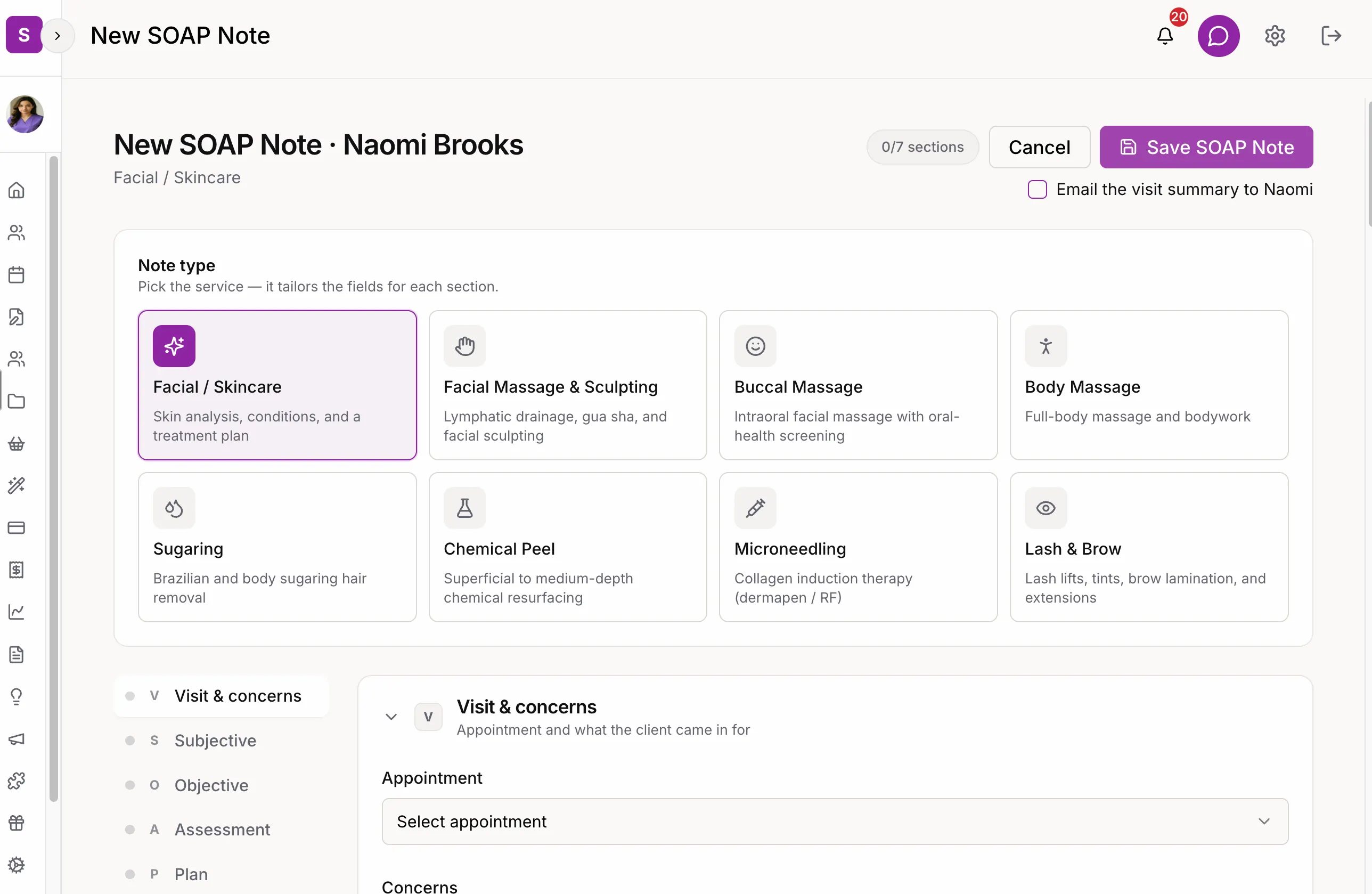
Your client told you what changed since last time. You saw how her skin responded. SpaSphere keeps both, with what you recommended, in her record, in a note shaped to the service you performed: facials, peels, microneedling, sugaring, lash and brow, and more. When you choose to, she gets a visit summary by email with the plan you recommended, the products you picked for her, and a link to book her next visit.
Why You'll Love It
Remember Every Detail
Subjective (what she told you), Objective (what you observed), Assessment (your analysis), Plan (next steps). Eight note types tailor the fields to the service you performed.
Visit Summary Email
Tick one box when you save the note and your client gets a visit summary by email: the treatment you recommend, her next steps, and the products you picked for her. It's off by default, so nothing goes out unless you choose.
Products She Can Find Again
Every product you recommend appears in the summary with how to use it and a link to it in your shop, so she isn't guessing which serum you meant.
Rebooking Built In
The visit summary includes your recommended timing for her next visit and a button to book it.
Prefill From Last Visit
When she already has a note of the same type, copy the Subjective, Objective and Assessment from last time and edit only what changed. Saved notes are read-only, so the record stays as you wrote it.
Treatment History
Open her SOAP Notes tab and every past note is there by date and type, so you can read what you saw and did last time.
How It Works
During the Appointment
Open your client's profile and start a new SOAP note for the service you performed. Note what she's concerned about and what you observe.
Add Your Assessment
Note her skin type, barrier function and sensitivity. Next time, prefill from this note and change only what's different.
Create the Plan
Record the treatment you performed, her follow-up period and instructions, and the products you recommend for home.
Save, and Share If You Choose
Save the note to her record. Tick 'Email the visit summary' and she gets her plan, products and a link to book, in your branding.
Ready to carry every treatment forward?
Start documenting every treatment and sending visit summaries. Just $1 for your first 30 days.
✓ Cancel anytime · ✓ We move your data in 48 hours · ✓ No commitment